
ABRAH Plant · Plant operations
Readings your director can trust.
Plant schedules every equipment reading, has it taken at the machine with a QR scan, checks it against its limits on the spot, and turns it into alarms, logsheets and reports.
01The problem
Most plants still run their rounds on a clipboard.
Daily logsheet · AC-01
Compressor Room
| Time | Pressure | Oil °C | Hours | Sign |
|---|---|---|---|---|
| 06:00 | 6.8 | 71 | 3,094 | R.K. |
| 08:00 | 7.1 | 74 | 3,096 | R.K. |
| 10:00 | ____ | ____ | ____ | |
| 12:00 | 8.4 | 79 | 3,100 | R.K. |
| 14:00 | 7.0 | 72 | 3,102 | R.K. |
An example sheet, not a real plant.
- A round is missed, and nobody knows until someone reads the sheet.
- Values are filled in later, from memory, at the end of the shift.
- A reading above its limit sits on paper while the machine keeps running.
- Nothing shows the operator was standing at the equipment.
- The sheet is typed into Excel days later, with new mistakes.
By the time a reading reaches management, it is days old.
- 1Round due
- 2Written on paper
- 3Filed in the cabin
- 4Typed into Excel
- 5Seen by management
Every step is a copy of the one before, done by hand, later. Plant takes the copies out: the reading is recorded once, where it is taken, and everyone sees the same value.
02The answer
Every round on the phone, every value under watch.
- 01
Schedule
Every reading slot is created ahead, in the plant's own shifts and time zone.
- 02
Scan
The operator scans the QR sticker on the equipment to open its readings.
- 03
Record
Values go in on the phone, even with no network, and sync when it returns.
- 04
Check
Each value is checked against the limits valid at that moment, on the spot.
- 05
Act
An alarm reaches the right person and escalates until someone acknowledges it.
- 06
Report
Logsheets, trends and reports are ready, with nothing typed twice.
03Use cases
Where Plant is used
04Diagram
How Plant works
A reading is recorded once, at the equipment, and every screen after it reads the same value.
- 01ScheduleSlots made ahead, per shift
- 02QR scanAt the equipment
- 03ReadingOn the phone, even offline
- 04SyncServer-stamped, flagged
- 05Limit checkLimits valid at that time
- 06AlarmNotify and escalate
- 07Logsheet & reportsTrends, work orders
05A round, step by step
From the slot to the logsheet in one walk.
06:00
Morning round due: AC-01 air compressor, Compressor Room.
06:04
Operator scans the QR sticker on AC-01. The readings for this slot open.
06:05
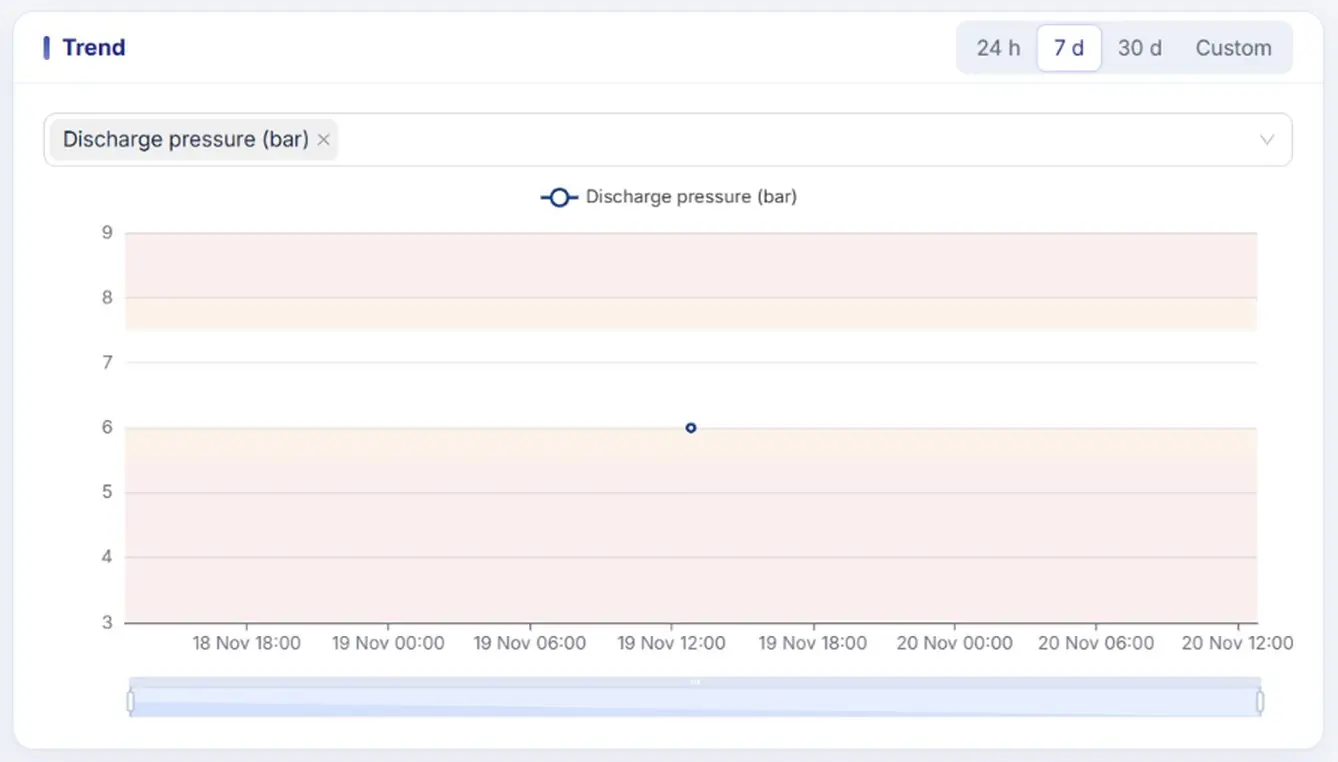
Discharge pressure 8.4 bar, oil temperature 79 °C and running hours recorded.
06:05
8.4 bar is above the high limit. An alarm opens and the shift supervisor is notified.
06:20
Not acknowledged yet, so the alarm escalates to the next level.
06:31
Acknowledged, a work order is raised, and the logsheet already shows the round.
An example round, not real data.
Try a reading
AC-01 · Discharge pressure
Within limits
Saved to the logsheet. Nothing else to do.
Example limits: alarm below 5.5 or above 8 bar, warning below 6 or above 7.5. Each plant sets its own, with a reason for every change.
06Inside the product
Plant, module by module
Use the menu inside the app: open a group and pick a page, as you would in the product.
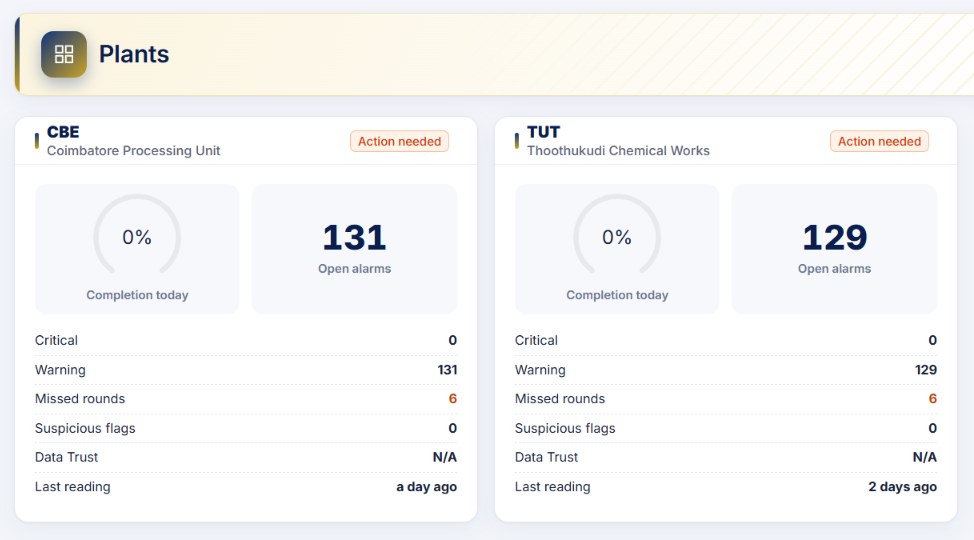
Real screen of the product, with a demo company
07Built-in proof
Every reading carries its own evidence.
A director can trust a number only if it was taken at the machine, on time, by the right person, and never changed afterwards. Plant records all of that with the reading itself.
Each company's data is kept apart from every other's.
- At the equipmentReadings open from a signed QR sticker. A reading without a scan is flagged.
- On timeThe server stamps the time. Late readings and a phone clock that is off are flagged.
- In the plantA reading taken outside the plant's area is flagged.
- Not rushedReadings entered too fast to be real, or a counter that jumps, are flagged.
- Never overwrittenReadings are append-only. A correction is a new version, and the first stays.
- Limits with a reasonLimits are versioned: a change needs a reason, and old readings keep the limits of their time.
- A full audit trailEvery change to the setup records who, what it was, what it became, and from which device.
- Devices under controlOperators sign in with a phone OTP and a PIN; a lost phone is signed out remotely.
One product, four people, the same numbers.
Operators
- The phone app, signed in with an OTP
- Their route and what is due now
- Works without a network
Supervisors
- Alarms to acknowledge and close
- Missed readings by route
- The shift's logsheet
Maintenance
- Work orders and planned maintenance
- Checklists
- Spares and stores
Management
- The plant overview and trends
- Reports and the audit report
- Utilities and energy
Set up from the equipment list you already have.
ABRAH's team sets it up with you.
From your equipment list
Fill in one Excel template with areas, equipment, parameters and schedules. A dry run shows every row's errors before anything is saved.
Equipment templates
Pick an equipment type and its usual parameters and limits are filled in, ready to adjust.
QR stickers, printed
Print an A4 sheet of 50 mm or 75 mm stickers for a plant and put one on each equipment.
Shifts and shutdowns
Shifts, including those that cross midnight, and a shutdown calendar, so no reading is due when the plant is down.